SoftRAID 8
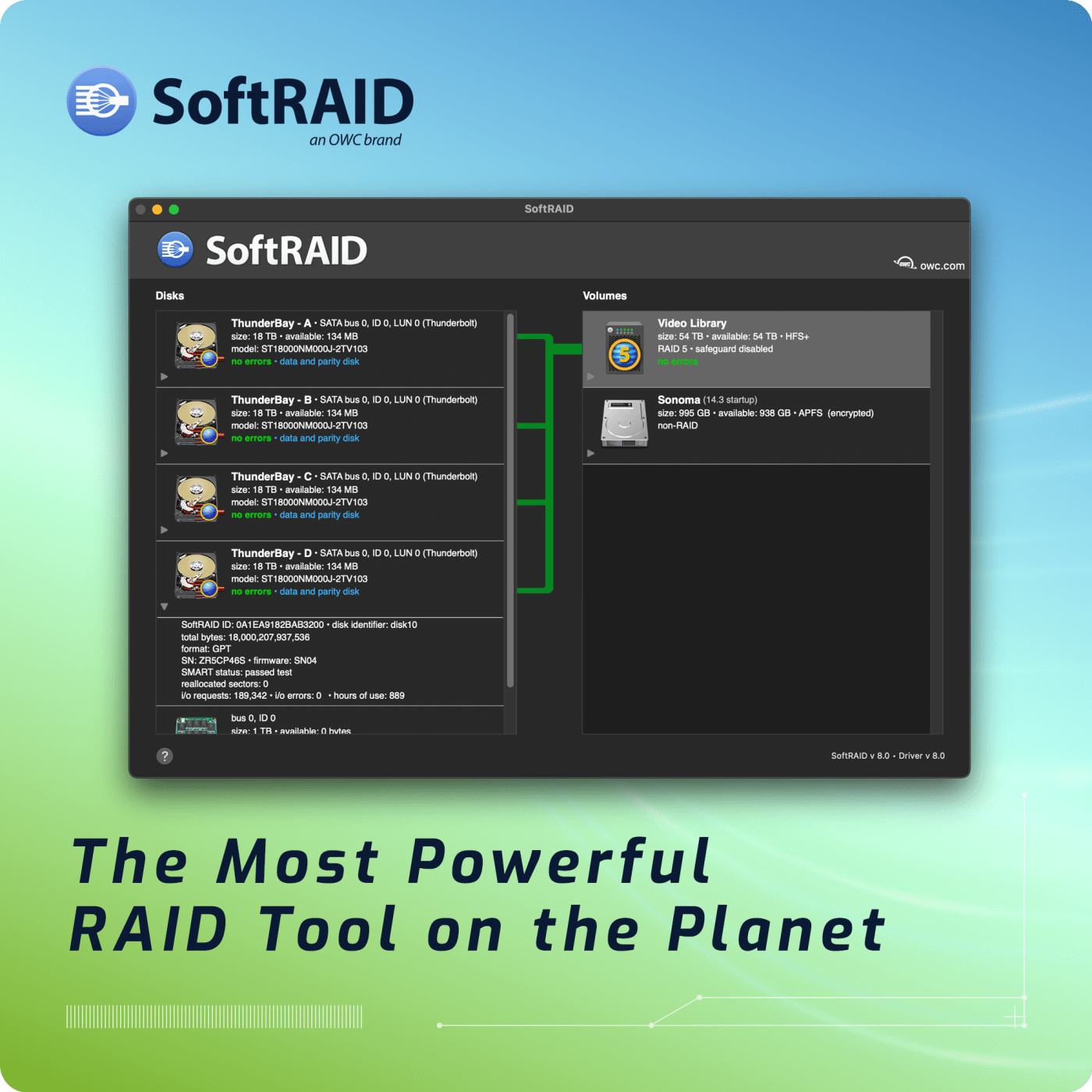
Easy-to-use high-performance RAID with predictive health monitoring.
1,010,723.710
TB Managed
- Performance: Supports the latest driver technology for the fastest RAID speeds on macOS and Windows.
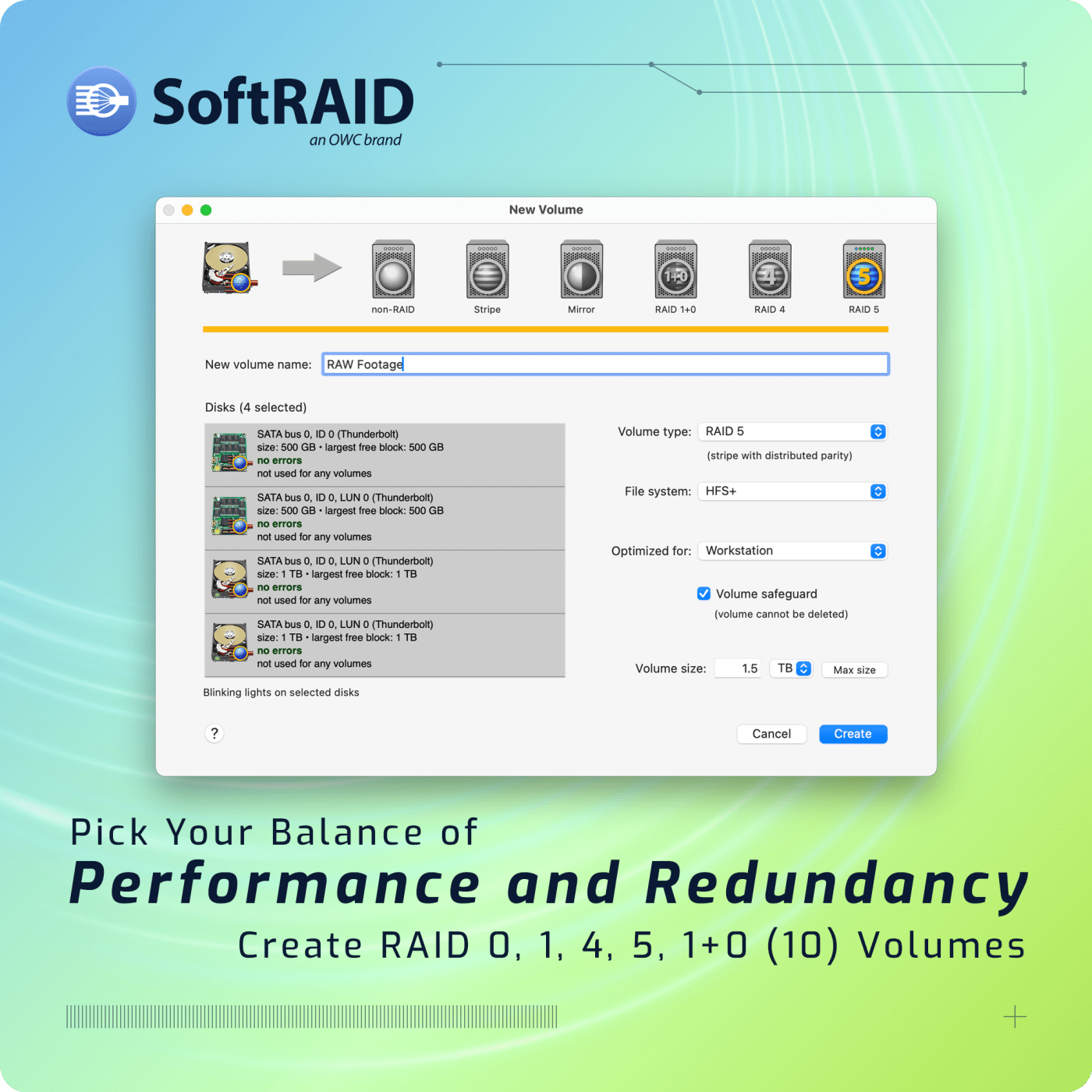
- RAID Levels: Supports RAID 0/1/4/5/1+0 (10) — choose the best fit for your workflow – performance, redundancy, or the best of both worlds.5
- Reliability: Discover and diagnose potential disk failures months in advance with SoftRAID Monitor.
- Worry-Free: Available Standard and Premium tiers provide access and integrity of your data regardless of whether you’re on a personal computer or deploying into a lab.
Save time and protect your data with SoftRAID — the high-performance RAID with predictive health monitoring on Mac and Windows.
Quickly accessing your data with the right safeguards is a difficult balance. Whether you’re enhancing multimedia production workflows, protecting critical business files, or ensuring uninterrupted access to valuable data, OWC’s SoftRAID is the ideal solution to manage your RAID arrays — delivering robust protection coupled with exceptional speed.
Delivering the RAID Tool of Choice for 15+ Years
See how SoftRAID benefits pro workflows across the globe:

"I prefer to be behind the camera when working. So, avoiding unnecessary time waiting behind the camera for my files and data is a win. I would say the performance of SoftRAID helps me get back behind the camera."
Nick Cahill / Filmmaker and Photographer

"SoftRAID gives me a lot of confidence in my workflow, because if I know my drives are good to go and healthy, I know I can continue on with my work — it's one less thing I need to think about."
Kimberly Sauer / DIT & Camera Operator / A24, Nat Geo

"Being able to have complete control of your workflow is of the utmost performance, relying on SoftRAID and OWC Drives has always been my go-to... it's just all thumbs up on my end."
Mehran Jabari / DIT + Colorist - I.A.T.S.E. Local 667

"I don't even think about SoftRAID anymore, because it just works."
Forest Berkdol Weil / Nature and Landscape Photographer
No-cost Data Access and Integrity
No matter what computer you’re using, interacting with your SoftRAID volumes is effortless. The SoftRAID Standard tier offers unrestricted access, break-neck speeds, upgrades to future versions, and rebuild capability to your SoftRAID volumes on both Mac and Windows — all for free. Better yet, SoftRAID volumes mount on macOS 13.3 and later without requiring SoftRAID to even be installed.
High Performance
SoftRAID implements the latest performance technology to unleash remarkable speeds on your RAID system. Simply connect your drive array, format in your preferred RAID level, and see the incredible speeds first-hand. SoftRAID implements newer technology and support as they become available, meaning your hardware can get even faster or more efficient over time.
| Technology | Peak Performance1 |
|---|---|
|
PCIe |
Up to 26,000 MB/s |
|
Thunderbolt |
Up to 2,939 MB/s |
|
USB 3.2 |
Up to 947 MB/s |
SoftRAID 8 now runs up to 4X more efficient on macOS, with up to 50% more speed on PCIe storage attached to Apple silicon. In addition, Windows machines can now experience up to 175% faster speeds with RAID 5 in SoftRAID 8.6 Finally, USB4 support is added to SoftRAID macOS and Windows, future-proofing your RAID management for the next generation of USB arrays.
More Efficient on macOS
Write Speeds on Apple Silicon Computers
Faster RAID 5 on Windows

Choose Your RAID
SoftRAID offers multiple RAID levels to keep your data safe.
RAID 0
Fastest read and write speeds with no failure protection.
RAID 1
Up to 2x read, write speed unaffected. Data survives loss of half of RAID array disks.
RAID 1+0 (10)
Up to 4x read, 2x write speed. Data survives loss of at least one disk.5
RAID 4
New for Windows! 3x read, up to 3x write. Data survives loss of one disk.
RAID 5
3x read, up to 3x write. Data survives loss of one disk.
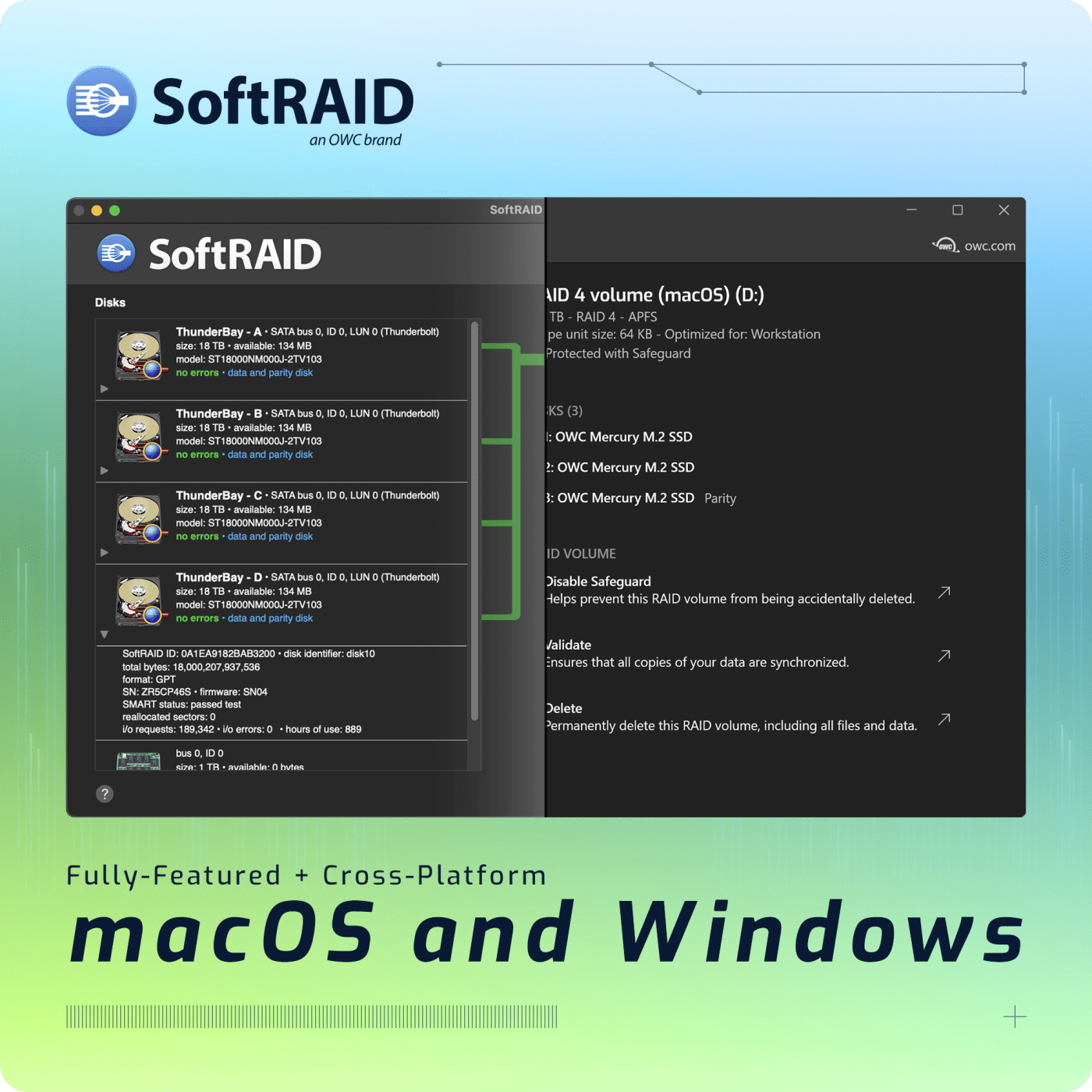
Cross-Platform
Read/write OWC SoftRAID arrays and use them interchangeably between Windows and macOS with built-in MacDrive technology. Supported File Systems:
- New! APFS on Mac and Windows
- HFS+ on Mac and Windows
- NTFS on Windows

Your Data Overwatch
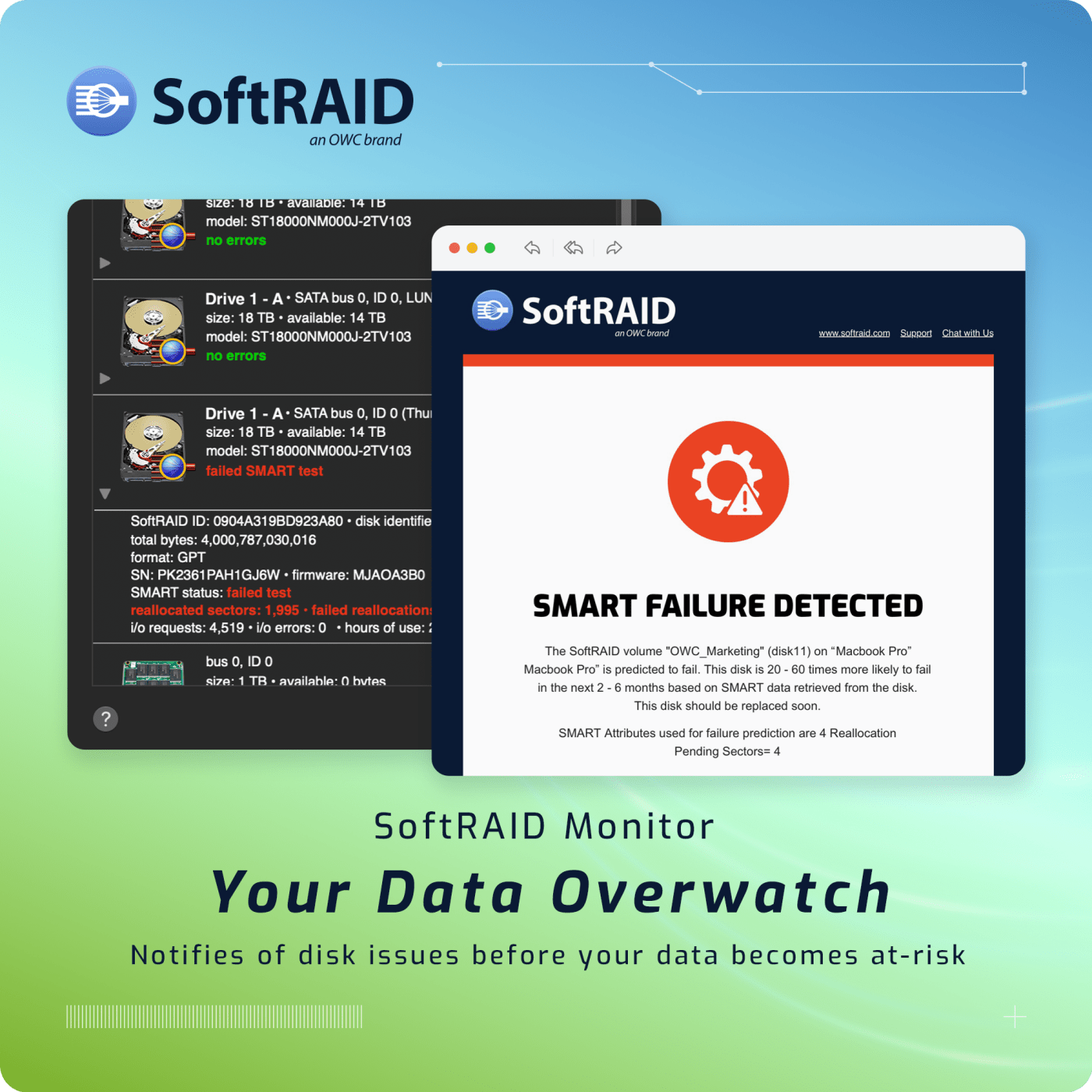
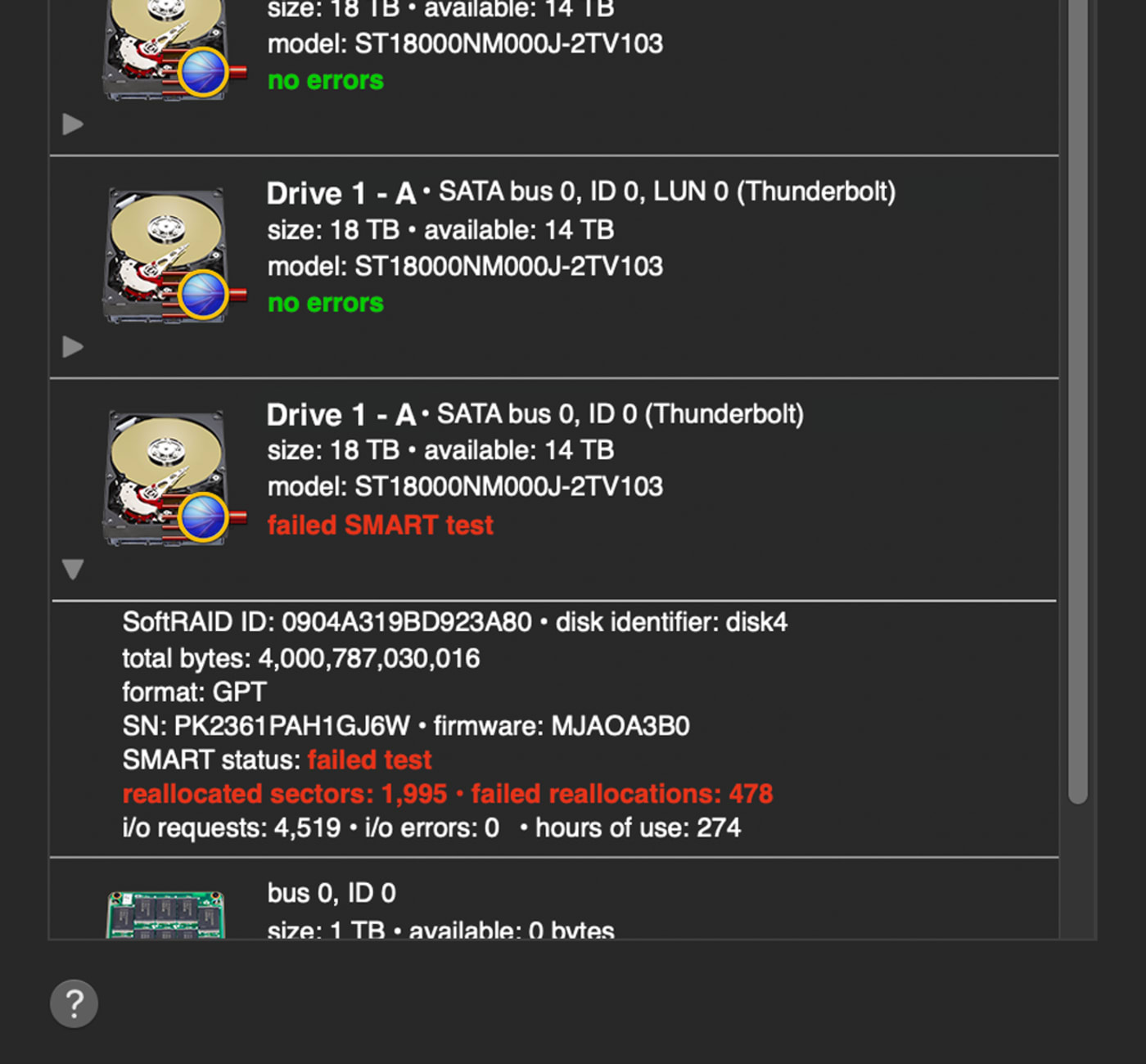
SoftRAID Monitor employs an innovative health monitoring algorithm that keeps tabs on your disk health, SMART data, and disk usage to notify you of potential failure months in advance.
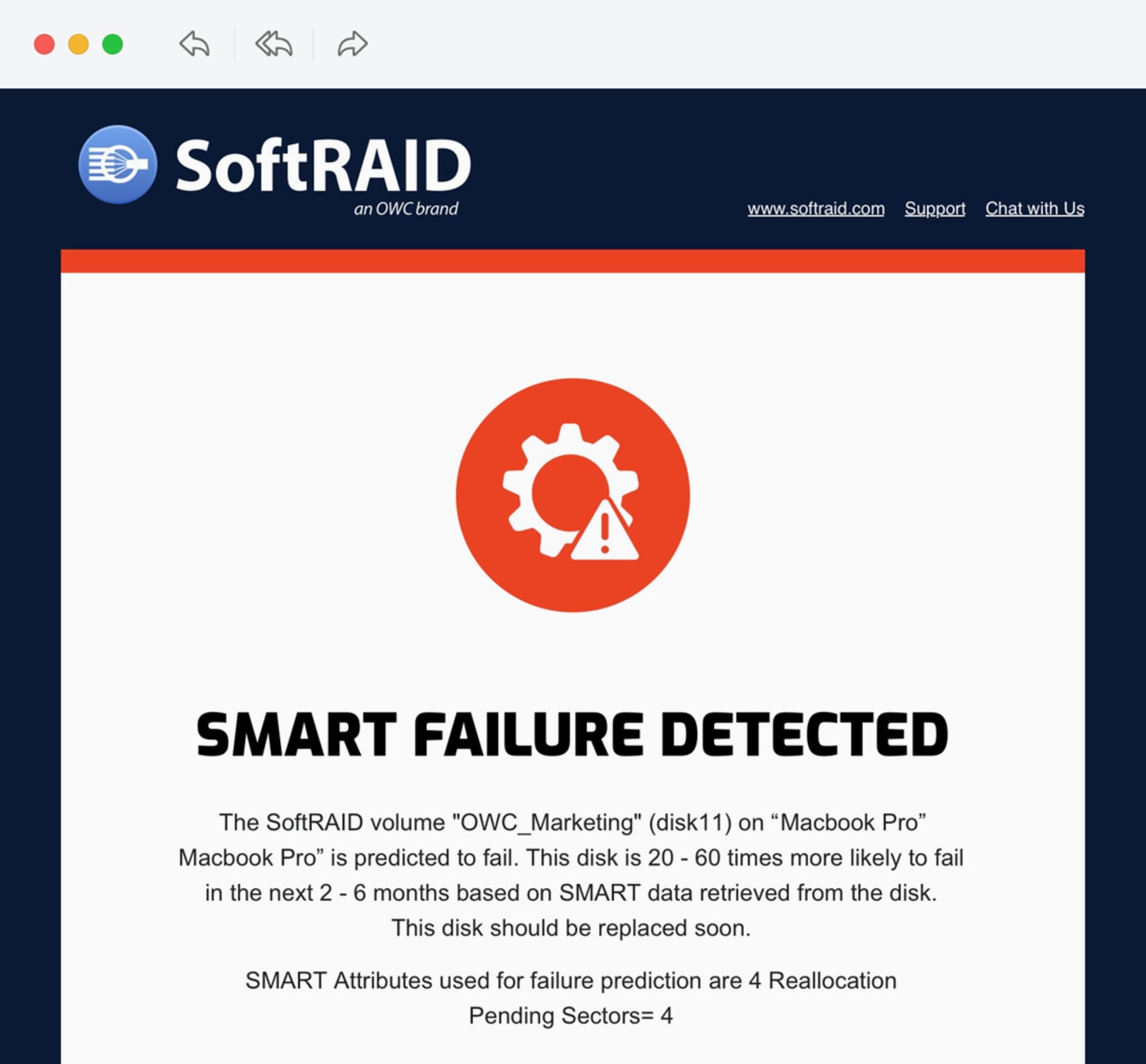
New! SoftRAID 8 now supports rich email notifications to provide RAID status updates when away from your computer, and quick access to OWC Support.2
SoftRAID 8 also extends support for NVMe and USB enclosures to provide health monitoring on even more drives and array.3

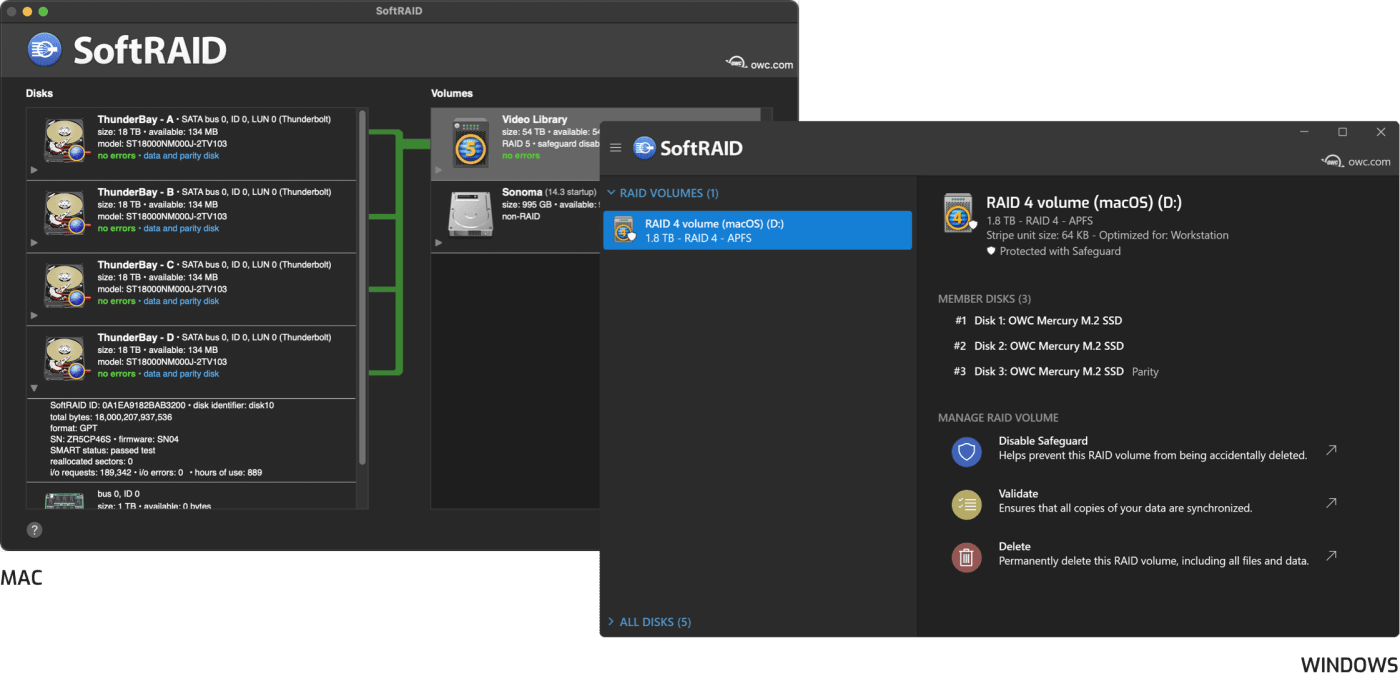
Multiple RAID Levels
Create advanced RAID 0/1/4/5/1+0 (10) volumes for higher performance and/or redundancy.5

Drive Health
OWC SoftRAID protects your data by alerting you to issues before anything happens, ensuring you’re protected all the time.

Flexible, Upgradeable
With OWC SoftRAID you’re not locked into a solution. SoftRAID’s unique approach is hardware independent.

Validate
Volume validation ensures sectors can be read, parity is correct, and any potential volume failure is minimized.

Easy License Management
Enables quick activation or deactivation so your license can move moved between computers.

Certify
Check your disks before use to ensure they are safe before you write your first file.
Compatible
Works with macOS 10.14 or later, Windows 10 or later, and Windows Server 2019/2022.

Dark Mode
OWC SoftRAID is easy-on-the-eyes with dark mode for great viewing experience in low-light environments.
Data Access and Integrity Made Simple
SoftRAID is offered in two tiers to ensure that the access and integrity of your RAID arrays are maintained as you upgrade your computer, operating system, or even if you’re using a temporary onsite machine.
| Compare SoftRAID Tiers | Standard | Premium Access |
|---|---|---|
|
Price |
Free |
$149.99 Year 1 Free for 3 Years with |
|
Data Access |

|
|
|
Data Integrity |
|
|
|
OS Updates |
|
|
|
Create Volumes |
|
|
|
SoftRAID Monitor |
|
|
|
OWC Support |
|
|
“SoftRAID monitor is a great tool because we got early signs of wear and tear on the drives, seeing exactly which drive it is based on serial number, so we didn't have to open the enclosure to know which one it is.”Sebastian Plamadeala / CTO, Avan Post
“SoftRAID and OWC ThunderBlade have been a great combo. Super easy setup. We've been using it for our backups and it's been flawless.”Renan OzturK / Director, Expedition Studios
Bundled with the Best
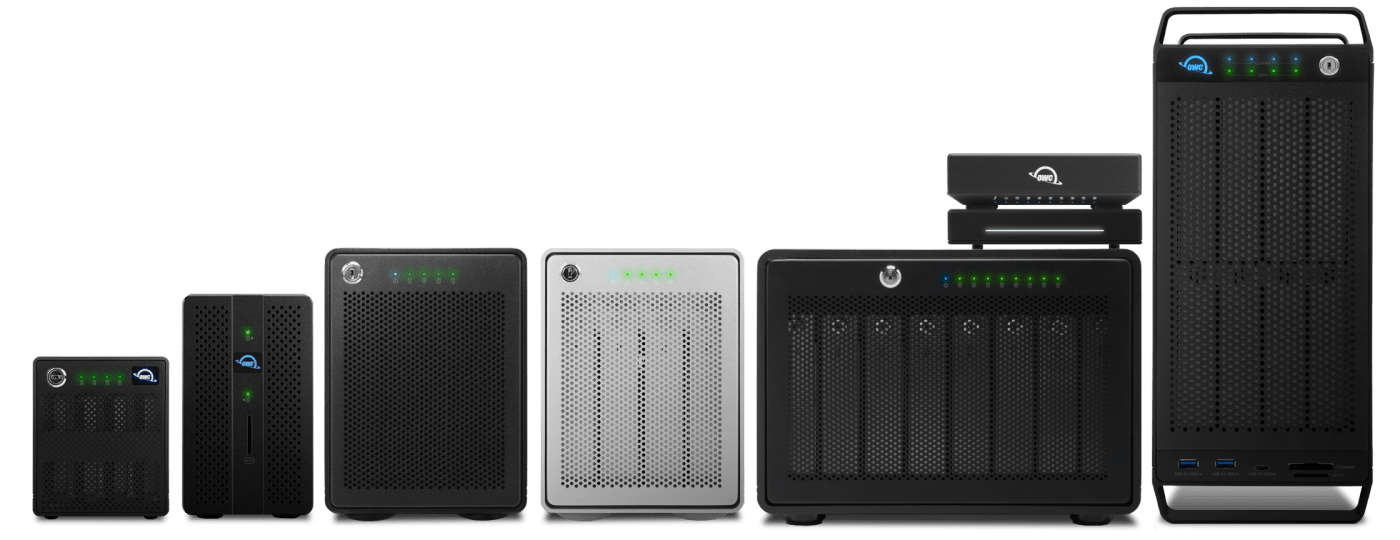
OWC Enclosures come with 3 Years of SoftRAID Premium access, providing ultra-fast speeds, proactive health monitoring, and OWC Pro Support out of the box.
FAQ
How does SoftRAID Work?
SoftRAID enables you to create high-performance RAID volumes on macOS and Windows. SoftRAID leverages the capable processors in modern computers to manage the creation and ongoing maintenance of your volumes — resulting in faster speeds than you’d see from typical hardware RAID solutions. In addition, SoftRAID continuously monitors the health of your volumes and disks to notify of potential issues before they arise.
How will my data be accessible and safe on SoftRAID volumes?
SoftRAID makes managing your data a breeze, even without our SoftRAID Premium subscription. SoftRAID Standard is available for free to access/use the data on your volumes, rebuilding volumes, and is updated to stay compatible with your most recent operating system. SoftRAID Volumes can also be accessed on macOS 13.3 or later, even without SoftRAID installed.
Is SoftRAID a subscription?
SoftRAID is offered in two tiers: SoftRAID Standard and SoftRAID Premium. SoftRAID Standard is free to use and allows you to access/use the data on your volumes, rebuilding volumes, and is updated to stay compatible with your most recent operating system.
SoftRAID Premium is an annual subscription that allows you to create high-performance SoftRAID volumes, access to SoftRAID Monitor for proactive notifications on potential volume issues, and access to OWC Pro Support. The first year of SoftRAID Premium costs $149.99. Year 2 and onward is $79.99 per year. SoftRAID Premium users are switched to SoftRAID Standard if a subscription is not renewed.
Can I add seats?
Yes! SoftRAID Premium users can add sets for $39.99 per year.
Is SoftRAID available for enterprise deployments?
Yes! Contact us for Enterprise pricing and deployment information.
- Performance benchmarks are measured using macOS SoftRAID RAID 0 with the following hardware: PCIe - OWC Accelsior 8M2, Thunderbolt 3 - OWC ThunderBlade X8, USB 3.2 — OWC Mercury Elite Pro Quad.
- Email Notifications coming soon to Windows.
- SMART over USB Windows only.
- SoftRAID volumes can be accessed on macOS 13.3+ without SoftRAID installed.
- RAID 1+0 (10) coming soon for Windows.
- macOS performance improvements require macOS 14.4. Windows tests performed with OWC Accelsior 8M2, formatted with SoftRAID 8 as RAID 5 NTFS with maximum stripe unit size. Tested with AJA System Test, 5120x2700n5K RED, 64GB, 16bit RGBa, single file, disk cache disabled.